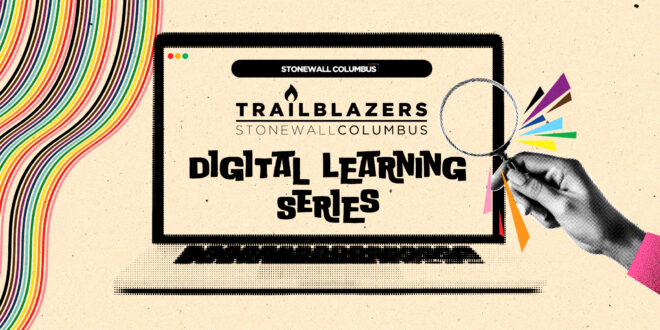
The Trailblazers Digital Learning Series is designed to empower LGBTQ+ older adults (ages 55+) with the digital skills, confidence, and resources necessary to thrive in an increasingly connected world. Through a welcoming, affirming, and community-centered approach, the program provides hands-on education in technology basics, digital safety, online communication, and accessing essential services.
GOALS
- Understand the basics of digital devices
- Gain confidence in digital literacy
- Feel more connected to the community
- Be able to feel self-sufficient
Upcoming Session Schedule
-
Fourth Series-March 18th, March 25th, April 1st
- Class 10 – Documents Made Simple: Microsoft, Google, and Everyday Keyboard & Touch Commands – Mar 18
- Learn how to manage everyday documents in Microsoft Office and Google Docs while practicing everyday keyboard and touch commands that work across apps and devices. Participants work hands-on with opening, saving, editing, and sharing files, along with familiar commands—like selecting text, copying and pasting, and finding information—that make daily tasks easier. This class emphasizes confidence, consistency, and comfort using Spectrum-provided laptops and personal phones.
- Class 11 – Accessibility, Safety & Not Losing Your Stuff – Mar 25
- Discover practical phone features that make devices easier to see, hear, and use comfortably — including voice commands that let you send texts, make calls, and get help without touching the screen. This class also introduces built-in safety tools like emergency features and item trackers, offering simple, everyday ways to reduce stress, stay independent, and not lose your stuff.
- Class 12 – Hands-On Practice for Everyday Tech Frustrations – Apr 1
- Practice solving common, real-life technology problems in a supportive, hands-on setting. Participants will work through everyday issues like rotated screens, missing apps, sound problems, and confusing TVs — learning how to undo mistakes, try safe fixes, and figure things out in real time so they leave with practical problem-solving experience they can use at home.
- Class 10 – Documents Made Simple: Microsoft, Google, and Everyday Keyboard & Touch Commands – Mar 18
All classes occur on Wednesdays from 11a-12:30p with Office Hours in Queer Beans at Stonewall Columbus on Fridays of class weeks, also from 11a-12:30p
••••••••••
MEET OUR FACILITATOR!
 CRAIG CHADWELL (he/him). For Craig, joining the Stonewall Columbus team is more than a professional step — it’s a perfect merger. It’s a chance to combine years of digital experience with his passion for connecting people, celebrating identity, and creating spaces where all feel welcome. He sees technology not just as code and content but as a bridge — one that can amplify stories, strengthen community ties, and expand access to resources. He looks forward to working alongside staff, volunteers, and community members to support Stonewall’s mission and ensure every LGBTQ+ person in Columbus feels seen, valued, and celebrated.
Learn more about Craig HERE!
••••••••••
Powered by